
Track every account
Organize checking, savings, credit card, cash, and investment accounts in one private ledger.
WallyLedger helps you track accounts, budgets, savings goals, recurring transactions, and cashflow across iPhone, iPad, and Mac while keeping your financial data on your device and in your private iCloud account.
WallyLedger is designed for manual control, clear planning, and privacy-first finance across the Apple devices you already use.
Organize checking, savings, credit card, cash, and investment accounts in one private ledger.
Use budgets, rollover support, recurring transactions, and scheduled activity to understand what is coming.
Follow savings goals, cashflow forecasts, spending insights, and upcoming obligations without noisy dashboards.
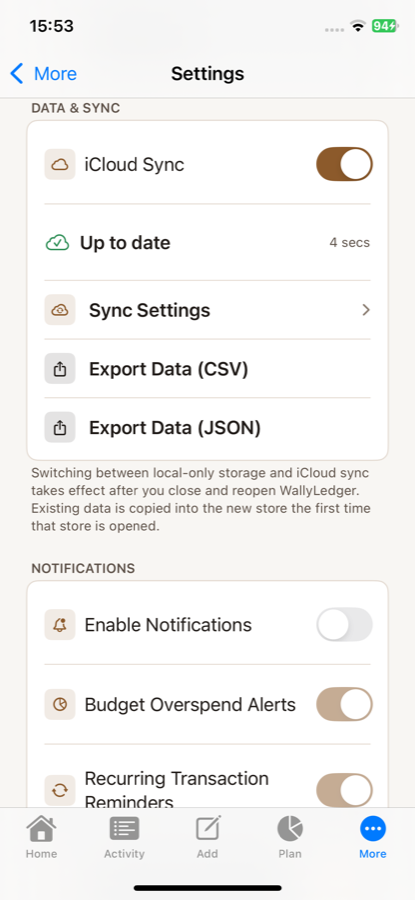
Your financial data is stored locally and can sync through your private iCloud database, not a WallyLedger server.
WallyLedger keeps daily tracking and deeper planning in one private workspace, with optional Premium tools for users who want the complete experience.
View checking, savings, cash, investment, and credit accounts in a single organized workspace.
5 account typesCategorise transactions with tags, notes, payees, receipts, filters, and the context needed to review activity calmly.
Tags, notes, receiptsSet monthly budgets with category allocations, rollover support, and quick comparisons against actual spending.
Rollover supportTrack progress, forecast momentum, and build recurring contributions toward the things that matter most.
Progress + forecastingStay ahead of bills, subscriptions, scheduled transactions, and routine transfers with predictable templates.
Scheduled activityReview cashflow forecasts, spending insights, credit, debt, and mortgage context when you need the full picture.
Planning depthWallyLedger is free with an optional Premium upgrade. Exact purchase options and trial eligibility are shown by Apple in the App Store.
A private manual finance ledger for getting started with tracking, planning, and reporting.
The complete WallyLedger experience for deeper planning, automation, and long-term visibility.
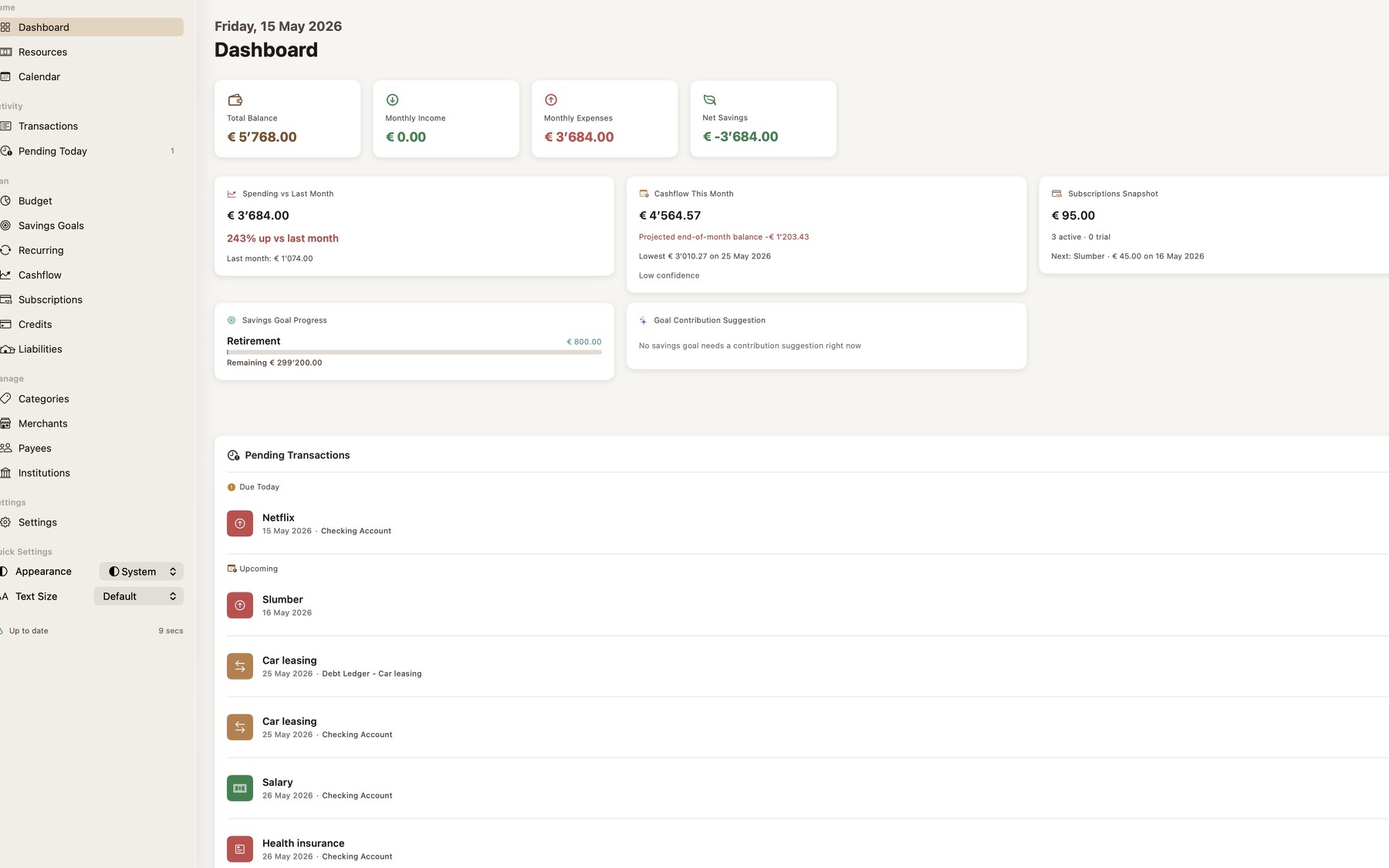
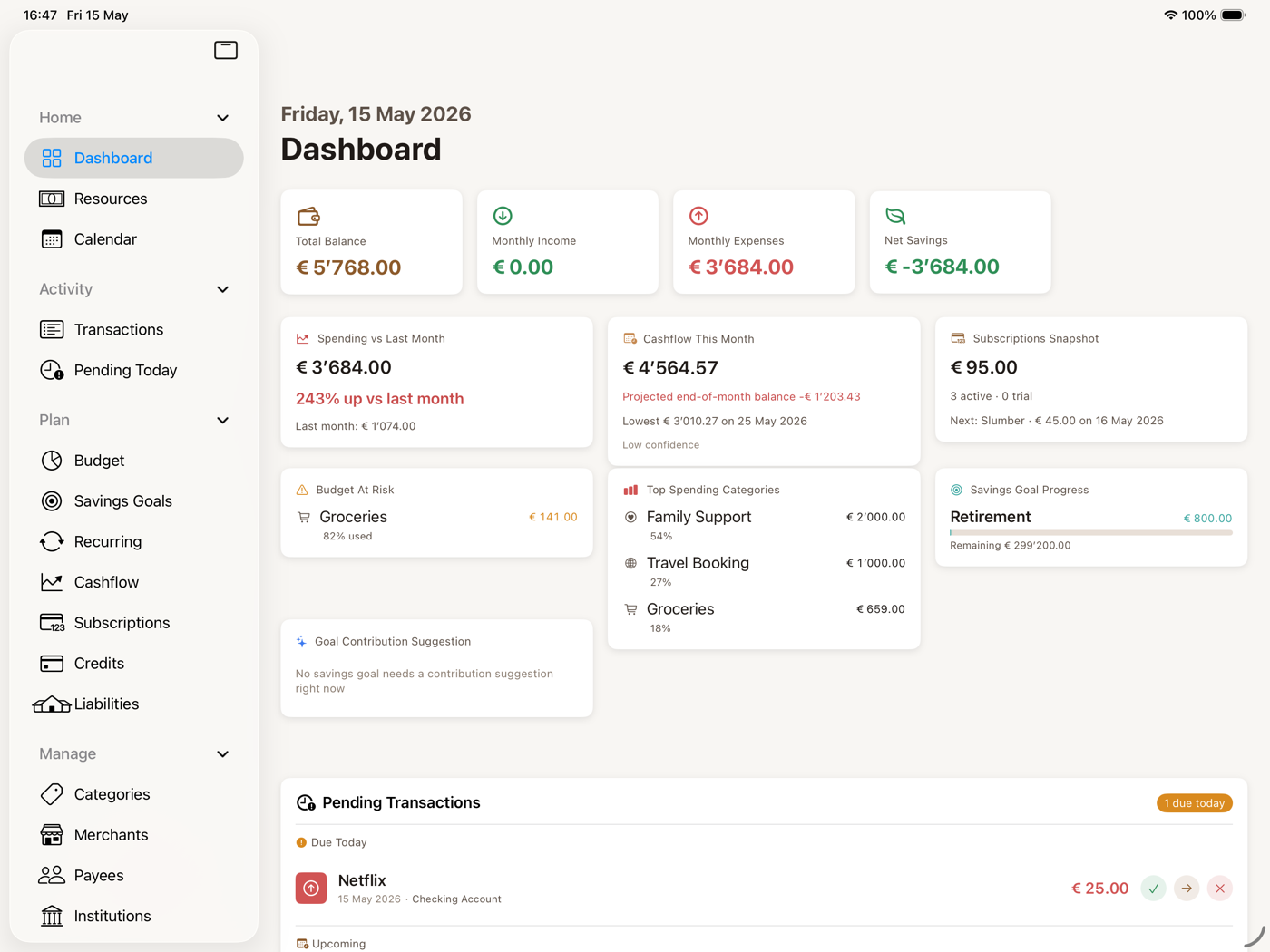
The site now uses launch-preparation screenshots from the app, so the public experience mirrors the actual product instead of a stylized illustration.
The Mac experience is designed for deeper review: balances, budgets, categories, forecasts, and long-range planning in one steady workspace.
Check balances, review recent transactions, manage settings, and stay aware of budget or recurring activity from iPhone and iPad.
WallyLedger does not use a WallyLedger account, advertising, trackers, or analytics to manage your financial data.
WallyLedger does not require a WallyLedger account, advertising profile, or sign-up flow to manage your finances.
The app and website are positioned without advertising SDKs, invasive analytics, or cross-site tracking.
When sync is enabled, WallyLedger uses your private iCloud account through CloudKit. We do not run servers that store or process your financial data.
Start with manual tracking, budgets, savings goals, recurring transactions, and reporting. Premium unlocks unlimited planning depth, advanced forecasts, subscriptions, credit, debt, mortgage tools, receipt scanning, and history features.